

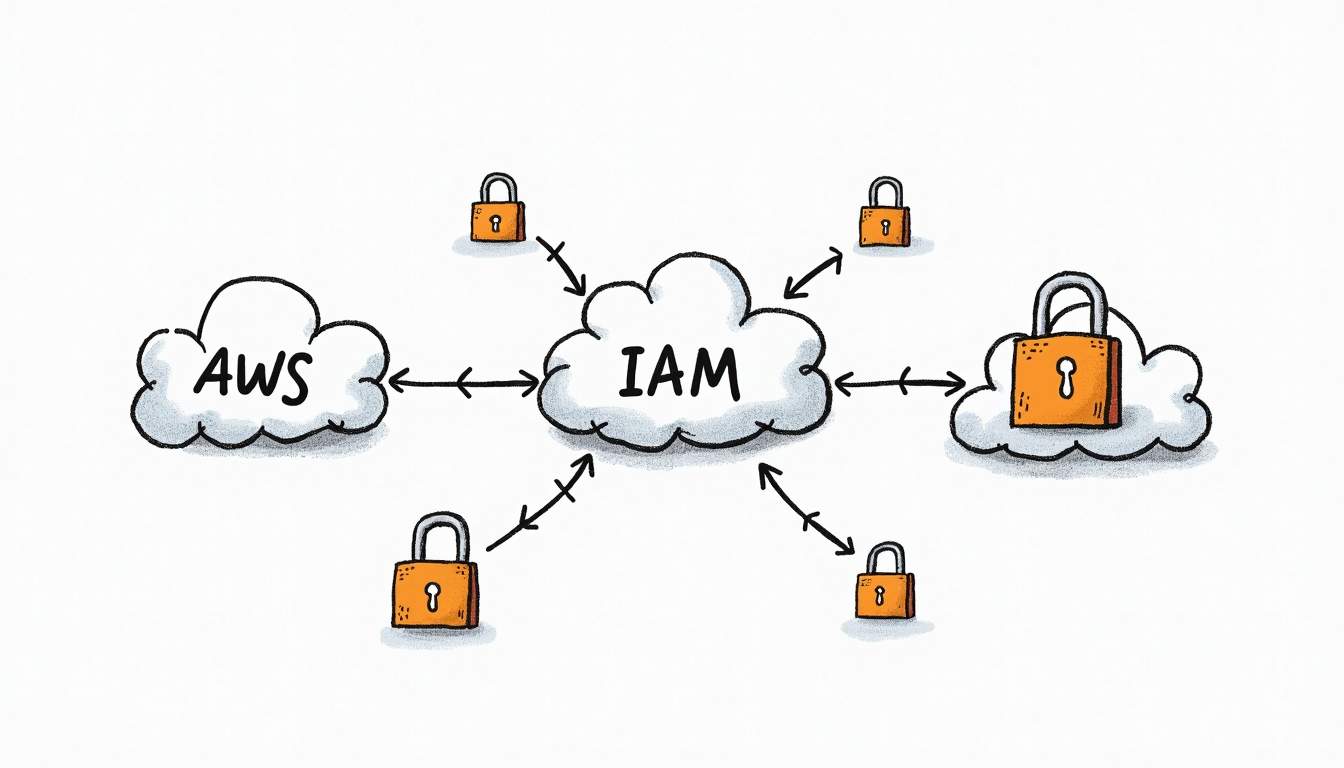
AWS IAM roles are the safest default for granting AWS permissions to services, workloads, pipelines, and external accounts. They replace long-lived access keys with temporary credentials and make permission boundaries easier to audit.
For the broader route map, see our AWS services for developers guide.
Quick takeaway: An IAM role is not a user and not a policy. It is a trusted identity that can be assumed by a service, workload, user, or external AWS account. The trust policy says who can assume the role. The permissions policy says what the role can do after it is assumed.
What an IAM Role Is
An IAM role is an AWS identity with permissions attached to it. The key difference is that a role is meant to be assumed. A Lambda function, EC2 instance, CI/CD pipeline, federated user, or another AWS account can assume the role and receive temporary credentials from AWS Security Token Service (STS).
This is why roles are a better fit than static access keys for most AWS workloads. You avoid storing credentials in code, reduce the blast radius of leaked secrets, and make access easier to rotate and revoke.
Trust Policy vs Permissions Policy
An IAM role has two important policy layers:
- Trust policy: defines who or what can assume the role.
- Permissions policy: defines what the role can do after it is assumed.
This distinction is the heart of IAM role design. If a trust policy is too broad, the wrong principal can enter. If a permissions policy is too broad, a valid principal can do too much after assuming the role. For deeper policy-writing patterns, use the RepoNotes guide to AWS IAM policies.
| Concept | What it is | Best use | Common mistake |
|---|---|---|---|
| IAM role | An assumable identity with temporary credentials | Give AWS services, workloads, or external accounts access | Treating it like a permanent user |
| IAM user | A long-lived identity for a person or workload | Legacy/human access only when federation is not available | Creating access keys for apps instead of roles |
| IAM policy | A JSON document that grants or denies permissions | Define what an identity can do | Confusing permission policies with trust policies |
| Trust policy | A resource-based policy attached to a role | Define who or what can assume the role | Leaving trust too broad |
How AssumeRole Works
The AssumeRole flow is simple:
- A trusted principal requests access to the role through AWS STS.
- AWS checks the role’s trust policy.
- If the principal is allowed, AWS issues temporary credentials.
- The principal uses those credentials to perform only the actions allowed by the role’s permissions policy.
Those temporary credentials expire automatically. That expiration is a major security advantage over static access keys.
Common IAM Role Use Cases
Roles are useful whenever something needs AWS access without owning permanent credentials.
| Use case | Who assumes the role | Why a role is safer |
|---|---|---|
| Lambda execution role | AWS Lambda service | No long-lived keys inside function code |
| EC2 instance role | EC2 instance profile | Temporary credentials rotate automatically |
| Cross-account access | Trusted external AWS account | Access can be scoped and revoked centrally |
| CI/CD deployment | GitHub Actions, CodeBuild, or another pipeline | Short-lived deploy credentials reduce blast radius |
| Human admin access | Federated user or IAM Identity Center permission set | Least privilege and auditability without static keys |
For example, a Lambda function may use an execution role to read from a database or write logs. If that Lambda function also uses shared dependencies, the companion guide to AWS Lambda layers explains how packaging and execution concerns fit together.
Best Practices for IAM Roles
- Keep trust policies narrow. Name exact services, accounts, or federated identities instead of using broad wildcards.
- Use least privilege. Grant only the actions and resources the role needs. Avoid
*unless there is a clear reason. - Separate roles by workload. One shared super-role across many services makes incidents harder to contain.
- Use external IDs for third-party access. This reduces confused-deputy risk in cross-account integrations.
- Review role usage regularly. CloudTrail and IAM Access Analyzer can show which roles are unused or over-permissioned.
Where IAM Roles Fit in the AWS Cluster
IAM roles show up across almost every AWS architecture. Amazon Cognito Identity Pools can map users to IAM roles for temporary AWS credentials. AWS Keyspaces uses IAM for service access and operational controls. Broader compute choices are covered in AWS compute services, where role-based access is often the glue between services.
Common Mistakes
- Confusing roles with policies. A role is the identity; policies define what that identity can do.
- Using IAM users for apps. Workloads should usually use roles, not long-lived access keys.
- Trusting an entire account without conditions. Cross-account roles should use external IDs and narrow principals when possible.
- Reusing one role everywhere. Shared roles are convenient until one service needs more access and every workload inherits it.
Summary
IAM roles are the AWS-native way to grant temporary, auditable access without static credentials. Design roles around a narrow trust policy, a least-privilege permissions policy, and a clear workload boundary. If a service, user, or external account needs AWS permissions, start by asking: who should be trusted to assume the role, and what should that role be allowed to do?
What is an IAM role in AWS?
An IAM role is an AWS identity that can be assumed by a trusted principal, such as an AWS service, another AWS account, or a federated user. Unlike an IAM user, a role does not have long-term credentials. When assumed, AWS issues temporary security credentials for the allowed actions.
What is the difference between a trust policy and a permissions policy?
A trust policy defines who or what can assume the role. A permissions policy defines what the role can do after it is assumed. Both are required for safe role design: a narrow trust policy controls entry, and a least-privilege permissions policy controls the actions available after entry.
Should applications use IAM users or IAM roles?
Applications running on AWS should normally use IAM roles, not IAM users with access keys. Roles provide temporary credentials that rotate automatically and can be scoped to the workload. IAM users with long-lived keys are harder to rotate and create a larger blast radius if leaked.
What is AssumeRole?
AssumeRole is the AWS STS operation that lets a trusted principal request temporary credentials for an IAM role. If the trust policy allows the principal and the permissions policy allows the target actions, AWS returns temporary access keys, a secret key, and a session token.
What are common IAM role mistakes?
Common mistakes include broad trust policies, using wildcard permissions, reusing one role across unrelated workloads, failing to set external IDs for third-party cross-account access, and putting secrets in application code instead of relying on temporary role credentials.





Leave a Reply