

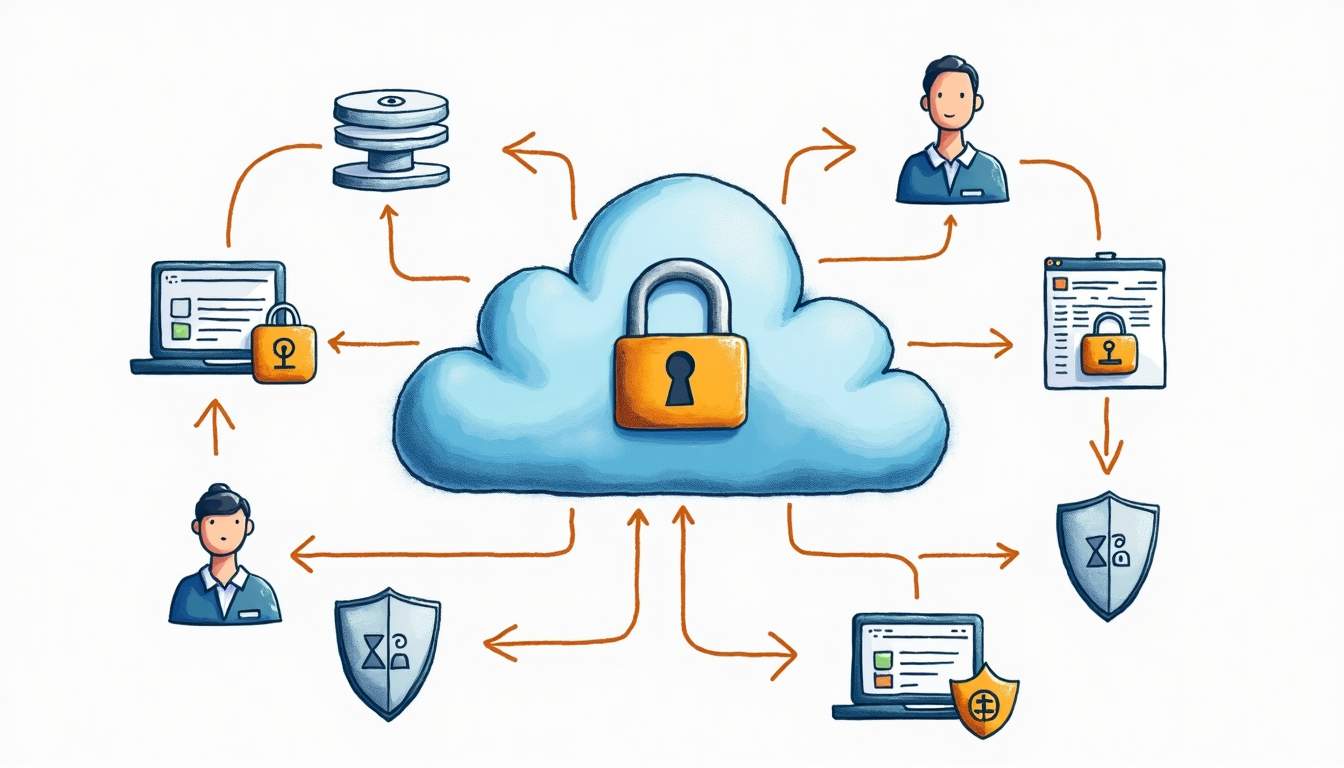
TL;DR: Amazon Cognito is AWS’s managed identity service for adding sign-up, sign-in, user directories, federation, and controlled AWS access to apps. The key distinction is simple: User Pools handle app user authentication, while Identity Pools help users get temporary AWS credentials.
Use Cognito when you want AWS-managed authentication for a web or mobile app and you are comfortable with AWS identity concepts. Do not treat it as “just a login screen.” The hard parts are choosing the right pool type, securing tokens, configuring app clients, and keeping the user experience understandable.
What Is Amazon Cognito?
Amazon Cognito is a managed AWS service for application identity. It helps developers add user registration, sign-in, account recovery, multi-factor authentication, social or enterprise sign-in, and access control without building a full identity platform from scratch.
In practice, Cognito usually appears in one of two roles. First, it can be the user directory for your app through a User Pool. Second, it can help users receive temporary AWS credentials through an Identity Pool, often after they sign in through a User Pool or another identity provider.
User Pools vs Identity Pools
Most Cognito confusion starts here. User Pools and Identity Pools solve related but different problems.
| Cognito feature | What it does | Use it when | Common mistake |
|---|---|---|---|
| User Pools | Manages app users, sign-up, sign-in, tokens, MFA, hosted UI, and federation | You need users to log into your application | Assuming it automatically grants AWS service permissions |
| Identity Pools | Exchanges an authenticated or guest identity for temporary AWS credentials | Users need controlled access to AWS resources such as S3 or AppSync | Using it when the app only needs normal login/session management |
| Both together | User Pool authenticates the user; Identity Pool maps that identity to AWS credentials | A signed-in app user needs scoped AWS access from the client | Over-permissioning IAM roles for client-side access |
How Cognito Works in a Typical App
A typical Cognito implementation has two layers: the user-facing authentication flow and the AWS-side access model behind it.
1. A User Signs Up or Signs In
With a User Pool, your app sends users through a sign-up or sign-in flow. That can be a custom UI, Cognito hosted UI, or a federated identity provider. After successful authentication, the app receives tokens that represent the user session.
2. The App Uses Tokens
Your backend can verify Cognito-issued tokens before serving protected routes. This is where teams need to be careful: token validation, expiration, refresh behavior, scopes, and app-client settings should be treated as security decisions, not defaults to click through.
3. Optional: The User Gets AWS Credentials
If your front-end user needs direct access to AWS resources, an Identity Pool can provide temporary AWS credentials mapped to IAM roles. Keep those roles tight. If you need a refresher on policy structure, read the RepoNotes guide to writing AWS IAM policies.
4. Monitoring and Operations Continue After Launch
Authentication is not “set and forget.” Watch sign-in failures, account recovery friction, MFA issues, federation errors, and unusual traffic patterns. For broader observability context, the RepoNotes comparison of AWS CloudWatch vs Azure Monitor is a useful companion.
When Amazon Cognito Is a Good Fit
- AWS-native apps: your app already runs on AWS and needs managed auth.
- Web and mobile apps: you need sign-up, sign-in, password recovery, MFA, or hosted UI flows.
- Federated login: you want users to sign in through external providers instead of only local accounts.
- Client access to AWS: users need tightly scoped, temporary credentials for AWS resources.
- Small teams: you want to avoid building and operating a custom identity system.
When Cognito May Not Be the Best Choice
- You need a highly customized enterprise identity experience and already use a dedicated identity platform.
- Your team is not ready to own OAuth/OIDC, token validation, callback URLs, app clients, and IAM role boundaries.
- Your app only needs a simple internal login and no AWS integration; a simpler auth layer may be enough.
- You expect Cognito to remove all security work. It reduces infrastructure work, but configuration still matters.
Cognito and Other AWS Services
Cognito often shows up next to Amplify, API Gateway, AppSync, Lambda, S3, and CloudFront. If you are building a front-end-heavy AWS app, the RepoNotes guide to AWS Amplify is especially relevant because Amplify frequently wraps Cognito patterns for app development.
For command-line setup around AWS projects, keep the AWS CLI installation guide handy. Cognito configuration often ends up in infrastructure scripts or CI/CD steps, even if the first version is created through the AWS console.
Sources
| Source | Why it matters |
|---|---|
| Amazon Cognito product page | Official service positioning and feature overview |
| AWS docs: What is Amazon Cognito? | Official definition and core Cognito concepts |
| AWS docs: Cognito User Pools | User directory, sign-up/sign-in, and app authentication concepts |
| AWS docs: Cognito Identity Pools | Temporary AWS credentials and federated identity concepts |
| Amazon Cognito pricing | Current pricing reference for production estimates |
FAQ
What is Amazon Cognito used for?
Amazon Cognito is used to add user sign-up, sign-in, authentication, and controlled access to web and mobile applications. It can manage app users directly with User Pools and can also help users obtain temporary AWS credentials through Identity Pools.
What is the difference between Cognito User Pools and Identity Pools?
User Pools are for application user directories and authentication. Identity Pools are for granting temporary AWS credentials so authenticated or guest users can access AWS services. Many apps use User Pools alone; some use both together.
Is Amazon Cognito an identity provider?
Cognito User Pools can act as an identity provider for your application. Cognito can also federate with external providers such as social sign-in or enterprise identity providers, depending on the configuration you choose.
How is Amazon Cognito priced?
Cognito pricing depends on usage and feature choices, including monthly active users and certain advanced security or machine-to-machine patterns. Check the official AWS Cognito pricing page for current details before estimating production cost.
Bottom Line
Amazon Cognito is a practical choice when your AWS app needs managed authentication, federation, and sometimes temporary AWS credentials. The most important design decision is not “Cognito or no Cognito.” It is whether your app needs User Pools, Identity Pools, or both — and how tightly you configure tokens, app clients, and IAM access around that choice.





Leave a Reply