

Kubernetes ImagePullBackOff: The Short Version
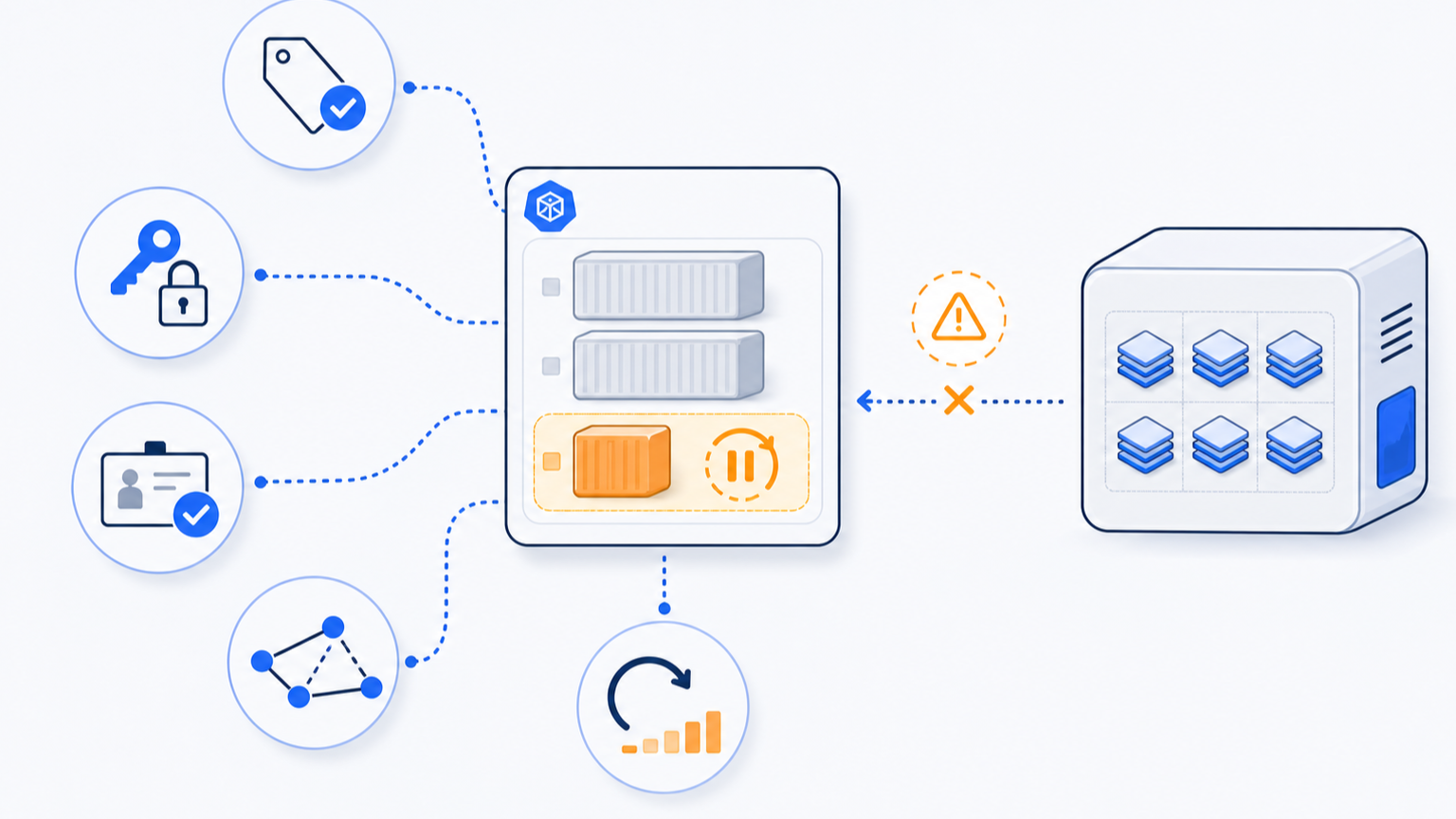
ImagePullBackOff means the kubelet tried to pull a container image, failed, and is now backing off before the next retry. The pod is not running because Kubernetes cannot get the image onto the node.
In real clusters, the cause is usually one of five things: a wrong image name or tag, a private registry authentication problem, an image that does not exist in that registry, a registry or network failure, or a policy mismatch such as imagePullPolicy: Always combined with mutable tags.
Start with events, not guesses. Run kubectl describe pod, read the pull error, confirm the image reference, then test registry credentials and node reachability. This guide gives you the production runbook.
ImagePullBackOff vs ErrImagePull
ErrImagePull is the first pull failure. ImagePullBackOff is the retry state after repeated failures. They are part of the same failure path, but the wording tells you where Kubernetes is in the retry cycle.
| Status | What it means | What to inspect first |
|---|---|---|
ErrImagePull | The current image pull attempt failed | Pod events and the exact error message |
ImagePullBackOff | Kubernetes is backing off before retrying | The previous pull error and retry history |
ContainerCreating | The pod is still preparing containers | Events, image pull time, volume mount events |
CrashLoopBackOff | The image was pulled, but the container starts and exits | Previous logs and container exit code |
The key distinction: ImagePullBackOff happens before your application starts. Application logs usually will not help until the image can be pulled and the container actually runs. If the image pulls successfully but the workload later exits, use the separate Kubernetes OOMKilled runbook or the Kubernetes CPU throttling guide depending on the failure signal.
Step 1: Read the Pod Events
Start with the pod status and events:
kubectl get pod <pod-name> -n <namespace>
kubectl describe pod <pod-name> -n <namespace>Code language: Bash (bash)
Scroll to the Events section. The useful line usually starts with Failed to pull image, Back-off pulling image, manifest unknown, pull access denied, unauthorized, TLS handshake timeout, or no such host.
Example event shape:
Warning  Failed     kubelet  Failed to pull image "registry.example.com/api:1.7.4": rpc error: code = NotFound desc = failed to pull and unpack image
Warning  Failed     kubelet  Error: ErrImagePull
Normal   BackOff    kubelet  Back-off pulling image "registry.example.com/api:1.7.4"
Warning  Failed     kubelet  Error: ImagePullBackOffCode language: plaintext (plaintext)
Do not stop at the pod status line. The event message is the decision point.
Step 2: Confirm the Image Reference
Get the exact image Kubernetes is trying to pull:
kubectl get pod <pod-name> -n <namespace> -o jsonpath='{range .spec.containers[*]}{.name}{"\t"}{.image}{"\n"}{end}'Code language: Bash (bash)Check every container, including sidecars and init containers:
kubectl get pod <pod-name> -n <namespace> -o jsonpath='{range .spec.initContainers[*]}init/{.name}{"\t"}{.image}{"\n"}{end}{range .spec.containers[*]}app/{.name}{"\t"}{.image}{"\n"}{end}'Code language: Bash (bash)A pod can show ImagePullBackOff because a sidecar image is wrong while the main application image is fine.
| Image reference issue | Typical event clue | Fix |
|---|---|---|
| Wrong tag | manifest unknown or not found | Use an existing immutable tag or digest |
| Wrong registry path | repository does not exist | Fix registry host, namespace, or repository name |
| Typo in image name | pull access denied or not found | Correct the deployment image field |
| Architecture mismatch | Pull may succeed, then container fails later | Use a multi-arch image or correct node architecture |
Mutable latest tag | Intermittent or environment-specific pulls | Pin a version tag or image digest |
If the image reference is wrong, fix the deployment source. Do not patch the live pod by hand unless you are doing an emergency test.
Step 3: Separate Public Registry Problems From Private Registry Problems
For public images, the error is usually a name, tag, rate limit, or network issue. For private images, authentication is the first suspect.
Check whether the pod has image pull secrets:
kubectl get pod <pod-name> -n <namespace> -o jsonpath='{.spec.imagePullSecrets}'Code language: Bash (bash)Then list secrets in the namespace:
kubectl get secret -n <namespace>Code language: Bash (bash)If no secret is attached, add one to the pod spec or to the service account used by the workload.
apiVersion: v1
kind: Pod
metadata:
  name: private-registry-test
spec:
  containers:
    - name: app
      image: registry.example.com/team/api:1.7.4
  imagePullSecrets:
    - name: regcredCode language: YAML (yaml)
For deployments, put the same imagePullSecrets under .spec.template.spec, not only on a one-off pod.
Step 4: Verify the Registry Secret
A Kubernetes registry secret can exist and still be wrong. Confirm the secret type and target registry:
kubectl get secret regcred -n <namespace> -o jsonpath='{.type}{"\n"}'
kubectl get secret regcred -n <namespace> -o jsonpath='{.data.\.dockerconfigjson}' | base64 --decodeCode language: Bash (bash)
For Docker config secrets, Kubernetes expects a .dockerconfigjson payload. The registry host inside the JSON must match the image registry host. A secret for https://index.docker.io/v1/ will not authenticate to ghcr.io, ECR, GCR, ACR, or a private Harbor registry.
| Registry | Common auth requirement | Frequent mistake |
|---|---|---|
| Docker Hub | Docker config secret or node credential provider | Pull rate limits or wrong namespace |
| GHCR | Token with package read access | Secret created for Docker Hub instead of ghcr.io |
| AWS ECR | Short-lived login token or kubelet credential provider | Token expired or node role lacks ECR permissions |
| Google Artifact Registry | Workload/node identity or JSON key secret | Wrong regional host or missing reader role |
| Azure ACR | AKS attach, managed identity, or pull secret | Cluster identity lacks AcrPull |
Do not paste secrets into tickets or logs. For debugging, verify the registry host, secret type, and service account wiring.
Step 5: Check Service Account Image Pull Secrets
Many production workloads do not set imagePullSecrets directly on every deployment. They inherit pull secrets from the service account.
Find the service account:
kubectl get pod <pod-name> -n <namespace> -o jsonpath='{.spec.serviceAccountName}{"\n"}'Code language: Bash (bash)Inspect it:
kubectl get serviceaccount <service-account> -n <namespace> -o yamlCode language: Bash (bash)Look for:
imagePullSecrets:
  - name: regcredCode language: YAML (yaml)
If the service account is missing the secret, patch it:
kubectl patch serviceaccount <service-account> -n <namespace> \
  -p '{"imagePullSecrets":[{"name":"regcred"}]}'Code language: Bash (bash)
This is safer than adding secrets manually to many separate deployments.
Step 6: Check Node and Network Reachability
If the image name and credentials are correct, the node may not be able to reach the registry.
Check whether many pods on the same node are failing pulls:
kubectl get pods -A -o wide | grep ImagePullBackOffCode language: Bash (bash)Then inspect node conditions and recent events:
kubectl describe node <node-name>
kubectl get events -A --sort-by=.lastTimestamp | tail -80Code language: Bash (bash)
Common network causes include DNS problems, firewall egress restrictions, private registry allowlists, corporate proxies, expired registry certificates, and cloud private endpoint misconfiguration.
| Event clue | Likely cause | First fix path |
|---|---|---|
no such host | DNS cannot resolve registry | Check cluster DNS, node DNS, private zone |
i/o timeout | Network path blocked or slow | Check egress firewall, NAT, proxy, registry status |
TLS handshake timeout | Network or TLS inspection issue | Check proxy, certificate chain, registry health |
x509: certificate signed by unknown authority | Node does not trust registry certificate | Install CA correctly on nodes or use trusted certs |
toomanyrequests | Registry rate limit | Authenticate pulls or mirror images |
If only one namespace fails, suspect secrets or service accounts. If many namespaces fail on one node pool, suspect node networking or registry access.
Step 7: Review imagePullPolicy
Kubernetes decides whether to pull based on the image tag and imagePullPolicy. The image reference and pull policy affect when kubelet attempts to pull an image.
Check the current policy:
kubectl get pod <pod-name> -n <namespace> -o jsonpath='{range .spec.containers[*]}{.name}{"\t"}{.imagePullPolicy}{"\n"}{end}'Code language: Bash (bash)| Policy | Behavior | When to use |
|---|---|---|
IfNotPresent | Use local image if available, pull if missing | Stable tags in controlled clusters |
Always | Always check/pull from registry | CI environments, mutable tags, security-sensitive rebuilds |
Never | Never pull from registry | Local dev or preloaded node images only |
A wrong policy is not usually the root cause by itself, but it changes how often the cluster hits the registry. Always can expose registry auth or rate-limit problems faster. IfNotPresent can hide broken pushes on nodes that already cached the image. For lower-level image naming and manifest errors outside Kubernetes, the adjacent Docker manifest unknown guide is the closer reference.
Step 8: Fix the Deployment Source
Once you know the cause, fix the source manifest, Helm values, Kustomize overlay, or GitOps repo. Then roll out the corrected spec.
For a wrong image tag:
kubectl set image deployment/<deployment-name> \
  <container-name>=registry.example.com/team/api:1.7.5 \
  -n <namespace>Code language: Bash (bash)
For a permanent fix, commit the same image reference to the deployment source.
For a private registry secret:
kubectl create secret docker-registry regcred \
  --docker-server=registry.example.com \
  --docker-username=<username> \
  --docker-password=<token> \
  --docker-email=<email> \
  -n <namespace>Code language: Bash (bash)
Then attach it through the workload spec or service account.
Production Triage Checklist
Use this order during an incident:
kubectl describe podand copy the exact event message.- Confirm which container or init container is failing.
- Confirm the exact image reference, including registry host and tag.
- Check whether the image exists in the registry.
- Check
imagePullSecretson the pod and service account. - Confirm the secret is for the same registry host.
- Check whether failures are isolated to one namespace, one node, or the whole cluster.
- Check DNS, egress, proxy, certificate, and registry status if credentials look correct.
- Fix the deployment source, not only the live pod.
- Watch the rollout until the pod reaches
Running.
kubectl rollout status deployment/<deployment-name> -n <namespace>
kubectl get pods -n <namespace> -wCode language: Bash (bash)
Prevention: Make Image Pulls Boring
The best ImagePullBackOff fix is to avoid fragile pulls in the first place.
| Prevention practice | Why it helps |
|---|---|
| Use immutable tags or digests for production | Avoids surprise image changes and missing mutable tags |
| Keep registry secrets managed centrally | Reduces namespace drift and expired credentials |
| Attach secrets through service accounts | Avoids copying secrets into every workload spec |
| Mirror critical images | Reduces dependency on public registry rate limits |
| Monitor image pull failures | Catches auth, DNS, and registry outages early |
| Validate images in CI before deploy | Finds missing tags before Kubernetes does |
For teams using GitOps, add a pre-deploy check that verifies the image digest exists before the manifest is promoted. That turns a runtime Kubernetes incident into a pipeline failure.
FAQ
What does ImagePullBackOff mean in Kubernetes?
`ImagePullBackOff` means Kubernetes cannot pull a container image and is waiting before retrying. The pod has not started because the node does not have the image and cannot download it from the registry.
Is ImagePullBackOff the same as ErrImagePull?
No. `ErrImagePull` is an immediate pull failure. `ImagePullBackOff` is the backoff state after Kubernetes retries and delays the next pull attempt. Use pod events to see the original error.
How do I fix ImagePullBackOff for a private registry?
Check the image reference, create or repair the Docker registry secret, attach it through `imagePullSecrets` or the service account, and confirm the secret registry host matches the image registry host.
Can ImagePullBackOff be caused by a wrong image tag?
Yes. A missing tag, typo, or wrong repository path often appears as `manifest unknown`, `not found`, `repository does not exist`, or `pull access denied` in pod events.
Why does ImagePullBackOff happen only on some nodes?
If the same image works on some nodes but not others, check node network access, DNS, proxy settings, certificates, registry allowlists, and whether some nodes have a cached image while others must pull it fresh.






Leave a Reply