

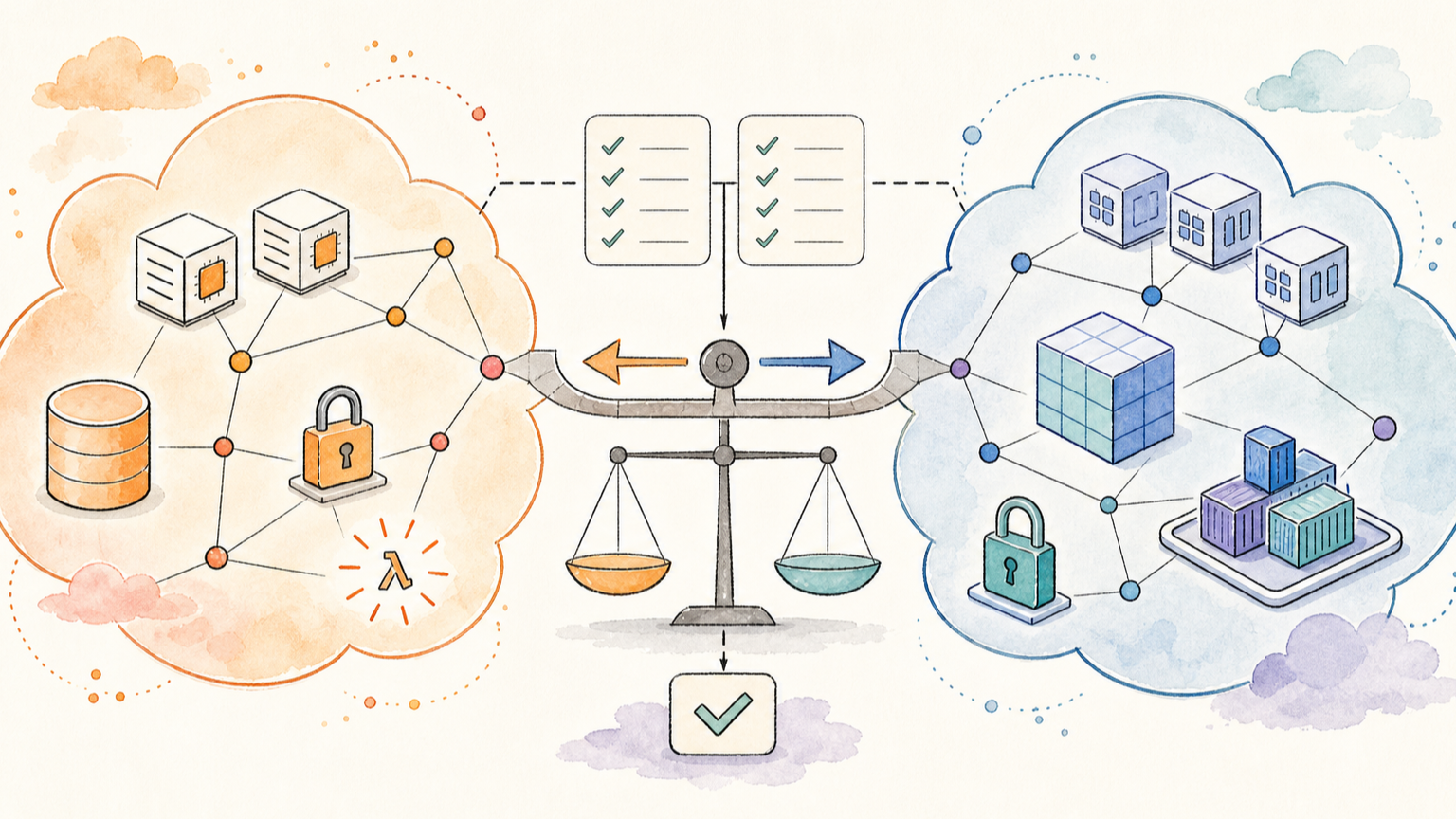
If you compare AWS and Google Cloud by counting services, AWS looks bigger and Google Cloud looks cleaner. That is not enough to pick the right platform.
A developer or DevOps engineer needs a different question: which services will I actually touch when I build, deploy, secure, observe, and scale an application?
This guide compares AWS and GCP through that practical lens. It maps the service families you are most likely to use, explains where the mental models differ, and gives you a learning path if you already know one cloud and need to understand the other.
Quick takeaway: AWS gives you the broadest menu and a mature service ecosystem. GCP often feels more integrated around containers, data, analytics, and Google-managed platform services. For developers, the best first choice depends less on brand and more on the workload: EC2-style infrastructure, container platforms, data analytics, IAM model, networking, and team tooling.
AWS vs GCP at a glance
AWS is usually the default enterprise cloud to learn first because it has the largest service catalog, deep ecosystem coverage, and many teams already run production workloads there. Google Cloud is strong when the work centers on Kubernetes, data platforms, analytics, managed containers, and teams that value simpler service paths over the broadest possible menu.
| Area | AWS service family | GCP service family | Practical takeaway |
|---|---|---|---|
| Virtual machines | EC2 | Compute Engine | Similar IaaS mental model: VM, image, disk, network, autoscaling. |
| Serverless containers | App Runner, ECS with Fargate, Lambda for functions | Cloud Run, Cloud Run functions | GCP Cloud Run is often the simplest managed container path. AWS offers more choices, but also more service decisions. |
| Kubernetes | EKS | GKE | GKE is a flagship GCP strength. EKS is common in AWS shops but usually needs more surrounding AWS decisions. |
| Object storage | S3 | Cloud Storage | Similar core use case: buckets, objects, lifecycle rules, permissions. |
| Relational databases | RDS, Aurora | Cloud SQL, AlloyDB | Both cover managed relational workloads. AWS has wider engine/ecosystem maturity; GCP has strong PostgreSQL-oriented paths. |
| NoSQL and analytics | DynamoDB, Redshift, Athena, Kinesis | Firestore, Bigtable, BigQuery, Pub/Sub, Dataflow | GCP is especially strong in analytics-first architectures; AWS has more granular building blocks. |
| Identity and access | IAM, IAM Identity Center, Organizations | Cloud IAM, Resource Manager, Cloud Identity | AWS IAM is powerful but policy-heavy. GCP IAM is tied closely to organization, folder, project, and resource hierarchy. |
| Networking | VPC, Transit Gateway, PrivateLink, Direct Connect, Route 53 | VPC, Cloud Router, Private Service Connect, Cloud Interconnect, Cloud DNS | Both are capable. AWS networking has more common enterprise patterns; GCP emphasizes global network design and service integration. |
If you need the AWS side first, start with the RepoNotes guide to AWS services explained for developers. If you need the Google Cloud side first, start with GCP services every DevOps engineer should know.
The main mental model difference
AWS often feels like a large toolbox. You choose from many services, wire them together, and tune the level of control. This is powerful when you know what you are doing. It can also overwhelm beginners because two valid AWS architectures can use very different combinations of services.
GCP often feels more opinionated. It has fewer “which service should I choose?” moments in some developer paths, especially around Cloud Run, GKE, BigQuery, and Google-managed operations tools. That can make the first production path easier, but it can also feel less familiar if your team already knows AWS patterns.
Think of the difference this way:
| Decision | AWS tendency | GCP tendency |
|---|---|---|
| First app platform | Pick EC2, Elastic Beanstalk, App Runner, ECS, EKS, Lambda, or Amplify depending on shape | Often start with Cloud Run, App Engine, GKE, or Firebase depending on app type |
| Identity | Fine-grained IAM policies across accounts, roles, and services | IAM tied to organization, folders, projects, and resources |
| Data analytics | Assemble S3, Glue, Athena, Redshift, EMR, Kinesis, QuickSight | BigQuery, Pub/Sub, Dataflow, Dataproc, Looker, and related managed services |
| Infrastructure as code | CloudFormation, CDK, Terraform, Pulumi | Terraform-oriented workflows, Infrastructure Manager, Config Connector, Deployment Manager legacy |
| Learning curve | More service breadth and historical patterns | More integrated paths, but some concepts differ sharply from AWS |
For a developer, this means AWS knowledge often transfers as concepts, not as direct service names. You will recognize compute, storage, IAM, networking, queues, and observability. You still need to learn how each cloud expects those pieces to be connected.
Compute: EC2 and Lambda vs Compute Engine and Cloud Run
Compute is the easiest place to start because the concepts map cleanly.
| Use case | AWS | GCP | Notes |
|---|---|---|---|
| Traditional VM | EC2 | Compute Engine | Start here if you need OS-level control, custom networking, or lift-and-shift migration. |
| Simple web app | App Runner, Elastic Beanstalk, ECS Fargate | Cloud Run, App Engine | Cloud Run is one of GCP’s strongest developer-friendly services for containerized apps. |
| Function/event code | Lambda | Cloud Run functions | Similar event-driven idea, but deployment model, limits, triggers, and observability differ. |
| Containers without Kubernetes | ECS with Fargate | Cloud Run | AWS gives ECS and Fargate as a mature managed container path. GCP Cloud Run is simpler for many HTTP/background container apps. |
| Kubernetes | EKS | GKE | GKE is often the cleaner Kubernetes learning path. EKS is valuable because many AWS enterprises use it. |
If your team is already all-in on Kubernetes, GCP deserves serious attention because GKE is a first-class platform. If your team runs a mix of VMs, managed databases, queues, IAM-heavy enterprise controls, and many third-party integrations, AWS often fits naturally.
A good first-project path:
- Build a small API in a container.
- Deploy it to AWS App Runner or ECS Fargate.
- Deploy the same container to Cloud Run.
- Compare environment variables, secrets, logs, traffic controls, IAM, and rollback flow.
That single exercise teaches more than reading a service list.
Storage and databases: S3 and DynamoDB vs Cloud Storage and BigQuery
Object storage maps well: Amazon S3 and Google Cloud Storage both handle buckets, objects, lifecycle rules, access control, and integration with other cloud services.
The bigger difference appears when you move into databases and analytics.
AWS gives you a very broad menu:
- RDS and Aurora for managed relational databases.
- DynamoDB for high-scale key-value and document workloads.
- Redshift for data warehouse workloads.
- Athena for querying data in S3.
- Glue, EMR, Kinesis, and related services for pipelines and streaming.
GCP has a very strong analytics path:
- Cloud SQL for managed MySQL, PostgreSQL, and SQL Server.
- AlloyDB for PostgreSQL-focused enterprise workloads.
- Firestore and Bigtable for NoSQL patterns.
- BigQuery as a core serverless analytics warehouse.
- Pub/Sub, Dataflow, Dataproc, and Looker for event and analytics workflows.
| If your workload is… | AWS-first path | GCP-first path |
|---|---|---|
| Basic relational app | RDS or Aurora | Cloud SQL or AlloyDB |
| Serverless key-value app | DynamoDB | Firestore or Bigtable depending on access pattern |
| Object storage plus lifecycle | S3 | Cloud Storage |
| Analytics warehouse | Redshift or Athena over S3 | BigQuery |
| Streaming/event ingestion | Kinesis, EventBridge, SQS/SNS | Pub/Sub, Eventarc |
| Data pipeline | Glue, EMR, Step Functions | Dataflow, Dataproc, Workflows |
For many developers, AWS teaches infrastructure breadth first. GCP teaches data and managed-service workflows faster. If your career path is backend plus platform engineering, learn both object storage and IAM deeply before chasing every database product.
For AWS database tradeoffs, RepoNotes already has a focused guide on Amazon RDS vs DynamoDB.
IAM and security: the part that does not transfer cleanly
IAM is where “I know cloud” confidence often breaks.
AWS IAM centers on users, groups, roles, policies, permissions boundaries, service-linked roles, identity federation, and multi-account patterns through AWS Organizations and IAM Identity Center. It is extremely powerful, but mistakes are easy if you do not understand policy evaluation and role assumption.
Google Cloud IAM is tied to the resource hierarchy: organization, folders, projects, and resources. Permissions are bundled into roles, and you grant those roles at specific levels of the hierarchy. That model can feel cleaner, but project structure and inherited permissions matter a lot.
| Security task | AWS mental model | GCP mental model |
|---|---|---|
| Human access | IAM Identity Center, roles, groups, permission sets | Cloud Identity, IAM allow policies, organization/folder/project roles |
| Service access | IAM roles, instance profiles, resource policies | Service accounts, IAM bindings, Workload Identity Federation |
| Org structure | Organizations, accounts, organizational units, SCPs | Organization, folders, projects, organization policies |
| Audit trail | CloudTrail, CloudWatch Logs, AWS Config | Cloud Audit Logs, Cloud Logging, Cloud Asset Inventory |
| Secrets | Secrets Manager, SSM Parameter Store | Secret Manager |
Do not assume a role in AWS is “the same thing” as a service account in GCP. They solve overlapping problems, but the operating model is different. If you are moving between clouds, make IAM your first serious study area, not your last.
Helpful internal anchors:
Networking: similar building blocks, different defaults
Every cloud networking model eventually asks the same questions:
- Where do resources live?
- Which private ranges are routable?
- Which services are public, private, or reachable through a managed endpoint?
- How do environments connect across regions, accounts, projects, and on-prem networks?
AWS networking uses VPCs, subnets, route tables, security groups, NACLs, NAT gateways, VPC peering, Transit Gateway, PrivateLink, Direct Connect, Route 53, and related services.
GCP networking uses VPCs, subnets, firewall rules, Cloud NAT, Cloud Router, Cloud VPN, Cloud Interconnect, Private Service Connect, Cloud DNS, load balancing, and Google’s global network model.
The names look similar, but the defaults are different enough that you should not “translate” architectures mechanically. For example, AWS VPCs are regional, while GCP VPC networks are global resources with regional subnets. That changes how you think about shared networks and multi-region design.
| Pattern | AWS | GCP |
|---|---|---|
| Private app network | VPC, subnets, route tables, security groups | VPC network, regional subnets, firewall rules |
| Private service access | PrivateLink, VPC endpoints | Private Service Connect |
| Hybrid connectivity | Site-to-Site VPN, Direct Connect | Cloud VPN, Cloud Interconnect |
| Network routing | Route tables, Transit Gateway, Cloud WAN | Cloud Router, Network Connectivity Center |
| DNS | Route 53 | Cloud DNS |
If your work touches VPNs, private service access, hybrid networking, or multi-cloud, read the concept slowly. RepoNotes has supporting AWS networking pieces on VPC peering and AWS Site-to-Site VPN, plus a broader piece on cloud federation levels.
DevOps tooling: CLI, IaC, CI/CD, and observability
For day-to-day work, the important comparison is not “which cloud has more tools?” It is whether the tooling fits your team’s delivery model.
| Workflow | AWS | GCP | What to learn first |
|---|---|---|---|
| CLI | AWS CLI | Google Cloud CLI (gcloud) | Authentication, profiles/configurations, regions, project/account context, output formats. |
| IaC | CloudFormation, CDK, Terraform, Pulumi | Terraform, Infrastructure Manager, Config Connector, Deployment Manager legacy | Terraform transfers best across clouds. CDK is valuable in AWS-heavy teams. |
| CI/CD | CodeBuild, CodeDeploy, CodePipeline, CodeArtifact | Cloud Build, Cloud Deploy, Artifact Registry | Learn artifact flow, secrets, deploy targets, rollback, and permissions. |
| Observability | CloudWatch, CloudTrail, X-Ray, Config | Cloud Monitoring, Cloud Logging, Cloud Trace, Cloud Audit Logs | Learn logs, metrics, traces, audit events, alerting, and cost visibility. |
| Cost controls | Cost Explorer, Budgets, Compute Optimizer | Billing reports, budgets, Recommender, cost management tools | Learn budgets before production experiments. |
AWS has many native delivery tools, but many teams still use GitHub Actions, GitLab CI, Jenkins, Terraform, or third-party observability. GCP’s native developer flow can be cleaner when you are already using Cloud Run, GKE, Artifact Registry, Cloud Build, and Cloud Deploy.
If you want practical command-line grounding, start with AWS CLI for EC2, EBS, and S3 and installing the Google Cloud CLI.
Cost and free-tier reality
Do not choose AWS or GCP from a generic “which one is cheaper?” answer. Cloud cost depends on workload shape, region, data transfer, commitments, managed-service choices, idle resources, and how well the team watches budgets.
A useful developer-level comparison is simpler:
- AWS has a mature Free Tier across many services, but you must understand which offers are always free, trial-based, or limited to the first 12 months.
- Google Cloud commonly gives new customers credits and has free monthly usage for selected products, which can make first experiments feel easier.
- AWS can be cost-effective when you already know the right service mix and account controls.
- GCP can be cost-effective for Cloud Run, BigQuery-style analytics, and teams that avoid always-on infrastructure.
- In both clouds, the fastest way to waste money is the same: leave resources running, ignore egress, skip budgets, and treat managed services as “free because there is no server”.
Before production, create a budget alert, estimate the architecture in the provider calculator, and run a small load test. Pricing pages are not enough. Your actual access pattern matters more than the logo.
Which cloud should a developer learn first?
Choose AWS first if:
- Your target companies already run AWS.
- You want maximum enterprise job-market transfer.
- You need deep exposure to IAM, networking, accounts, and service breadth.
- You work with legacy migrations, enterprise integrations, or a wide service ecosystem.
- You want to understand common production architectures used by many teams.
Choose GCP first if:
- Your work centers on Kubernetes, managed containers, data, analytics, or ML-adjacent systems.
- You want a cleaner path from container to production with Cloud Run or GKE.
- You work in teams already using BigQuery, Looker, Pub/Sub, Dataflow, or Google Workspace identity.
- You value opinionated managed services over choosing between many adjacent options.
Learn both if:
- You are moving into platform engineering, DevOps architecture, SRE, cloud consulting, or multi-cloud work.
- Your team supports workloads across providers.
- You need to translate patterns for migration, cloud cost, security, or resilience reviews.
For hands-on learning, start with the official free programs and set budget alerts before deploying anything long-running. AWS has Free Tier offers across many products. Google Cloud commonly gives new customers credits and selected free monthly usage. Treat both as learning sandboxes, not as permission to deploy production experiments without cost controls.
The practical sequence is not “learn all AWS, then all GCP.” A better path is service-family pairing:
- IAM and account/project structure.
- CLI and authentication.
- Compute: VM, container, function.
- Object storage and managed relational database.
- Networking basics: private network, firewall, NAT, DNS, private endpoint.
- Logs, metrics, audit events, and budgets.
- One production-style app deployed to both clouds.
A realistic first project for both clouds
Use the same tiny app in both platforms so you compare workflow rather than app logic.
Build:
- a small HTTP API;
- one container image;
- one managed database;
- object storage for uploaded files;
- a secret for database credentials;
- logs and a basic uptime alert;
- a budget alert;
- one CI/CD pipeline.
On AWS, a reasonable version might use App Runner or ECS Fargate, RDS or DynamoDB, S3, Secrets Manager, CloudWatch, IAM roles, and GitHub Actions or CodePipeline.
On GCP, a reasonable version might use Cloud Run, Cloud SQL or Firestore, Cloud Storage, Secret Manager, Cloud Logging/Monitoring, service accounts, and Cloud Build or GitHub Actions.
That project forces you to learn the pieces that actually matter: identity, deployment, runtime config, networking, persistence, logs, rollback, and cost visibility.
Three practical examples
Service maps are useful, but most real choices happen inside a messy team context. These examples show how to translate the comparison into an actual decision.
Example 1: a small SaaS API with a tiny team
If the team has one or two backend developers and no dedicated platform engineer, prefer the path with fewer moving pieces.
A practical AWS version could be:
- App Runner or ECS Fargate for the API container.
- RDS for PostgreSQL if the data is relational.
- S3 for file uploads.
- Secrets Manager for database credentials.
- CloudWatch logs and an AWS Budget alert.
A practical GCP version could be:
- Cloud Run for the API container.
- Cloud SQL for PostgreSQL.
- Cloud Storage for file uploads.
- Secret Manager for database credentials.
- Cloud Logging, Cloud Monitoring, and a budget alert.
For this scenario, GCP often feels faster because Cloud Run gives a clean container-to-URL workflow. AWS is still a strong choice if the company already uses AWS IAM, S3, RDS, and existing account governance.
Example 2: a data-heavy product team
If the application’s value comes from analytics, reporting, event streams, or ML-adjacent workflows, compare the data path before you compare virtual machines.
An AWS-first design might use S3 as the data lake, Glue for catalog and jobs, Athena for ad hoc SQL, Redshift for warehousing, Kinesis for streams, and QuickSight for dashboards.
A GCP-first design might use Cloud Storage, BigQuery, Pub/Sub, Dataflow, Dataproc where needed, and Looker for BI. This is where GCP can feel unusually coherent: BigQuery is often the center of gravity rather than “one more database option”.
Choose AWS if the team already has S3-centered lake patterns, many existing AWS integrations, or mature Redshift operations. Choose GCP if BigQuery, managed pipelines, and analytics speed are the core of the product.
Example 3: a regulated enterprise migration
For enterprise migrations, the first question is rarely “EC2 or Compute Engine?” It is usually governance:
- How are accounts or projects structured?
- Who can create production resources?
- How are audit logs retained?
- Which networks are private?
- Which services can be reached from on-prem?
- How are exceptions approved?
AWS often fits organizations that already think in accounts, organizational units, SCPs, IAM roles, VPCs, Transit Gateway, Direct Connect, and vendor integrations.
GCP can fit well when the company wants a project/folder hierarchy, strong centralized networking, service accounts, BigQuery-centric data controls, and Google Cloud-native operations.
In this scenario, do not pick based on developer comfort alone. Pick based on IAM, audit, networking, compliance, and migration tooling. Developer experience matters, but governance decides whether the platform survives contact with production.
AWS vs GCP services cheat sheet
| Need | AWS service to investigate | GCP service to investigate |
|---|---|---|
| VM | EC2 | Compute Engine |
| Managed container app | App Runner, ECS Fargate | Cloud Run |
| Kubernetes | EKS | GKE |
| Function | Lambda | Cloud Run functions |
| Object storage | S3 | Cloud Storage |
| Relational database | RDS, Aurora | Cloud SQL, AlloyDB |
| NoSQL | DynamoDB, DocumentDB | Firestore, Bigtable |
| Data warehouse | Redshift, Athena | BigQuery |
| Queue/eventing | SQS, SNS, EventBridge | Pub/Sub, Eventarc, Cloud Tasks |
| IAM | IAM, IAM Identity Center | Cloud IAM, Cloud Identity, service accounts |
| Secrets | Secrets Manager, SSM Parameter Store | Secret Manager |
| CDN/DNS | CloudFront, Route 53 | Cloud CDN, Cloud DNS |
| Private service access | PrivateLink, VPC endpoints | Private Service Connect |
| Hybrid network | Site-to-Site VPN, Direct Connect | Cloud VPN, Cloud Interconnect |
| CLI | AWS CLI | Google Cloud CLI |
| IaC | CloudFormation, CDK, Terraform | Terraform, Infrastructure Manager, Config Connector |
| CI/CD | CodeBuild, CodeDeploy, CodePipeline | Cloud Build, Cloud Deploy |
| Observability | CloudWatch, CloudTrail, X-Ray | Cloud Monitoring, Cloud Logging, Cloud Trace, Cloud Audit Logs |
Recommended next reads
- AWS Services Explained for Developers: What to Learn First
- GCP Services Every DevOps Engineer Should Know: A Guide
- AWS IAM Roles Explained: Trust Policies, Use Cases, and Best Practices
- GCP IAM Access Control: Roles, Policies, and Service Accounts
- AWS CLI for EC2, EBS, and S3: Practical Commands That Work
- Install Google Cloud CLI on Linux and Windows
Sources
- AWS Cloud Essentials
- AWS Cloud Services
- Google Cloud products
- Google Cloud service comparison for AWS, Azure, and Google Cloud
FAQ
Is AWS better than GCP for developers?
AWS is better if you need the broadest enterprise cloud ecosystem, many production patterns, and strong job-market transfer. GCP can be better if your work centers on Cloud Run, GKE, BigQuery, managed data platforms, or a simpler container-to-production path. For developers, the better choice depends on the workload and team context, not the provider name alone.
Which AWS services map most closely to GCP services?
Common pairs include EC2 and Compute Engine, S3 and Cloud Storage, Lambda and Cloud Run functions, EKS and GKE, RDS and Cloud SQL, DynamoDB and Firestore or Bigtable depending on the access pattern, CloudWatch and Cloud Monitoring or Cloud Logging, and IAM with Cloud IAM. Some mappings are approximate because the operating model differs.
Should I learn AWS or GCP first for DevOps?
Learn AWS first if your target market or current company uses AWS heavily. Learn GCP first if your work is Kubernetes, Cloud Run, BigQuery, data pipelines, or Google Cloud-native teams. If your goal is DevOps architecture or platform engineering, learn one cloud deeply first, then map the same service families to the other cloud.
Is GCP easier than AWS?
GCP can feel easier for specific paths such as Cloud Run, GKE, BigQuery, and project-based resource organization. AWS can feel harder at first because it has more service choices and more historical patterns. That extra breadth is also why AWS knowledge transfers well in enterprise environments.
What is the fastest way to compare AWS and GCP hands-on?
Deploy the same small containerized API to both clouds. Use a managed database, object storage, a secret, logs, an uptime alert, and a budget alert. Comparing the same app teaches the real differences: IAM, deployment flow, runtime configuration, networking, observability, rollback, and cost controls.
Is GCP cheaper than AWS?
Sometimes, but there is no universal answer. GCP can be cheaper for specific managed-container and analytics patterns, especially when Cloud Run or BigQuery fit the workload well. AWS can be cheaper when your team already knows how to right-size, reserve, and govern the service mix. Compare the actual architecture in the AWS and Google Cloud pricing calculators, then validate with a small real workload and budget alerts.






Leave a Reply