

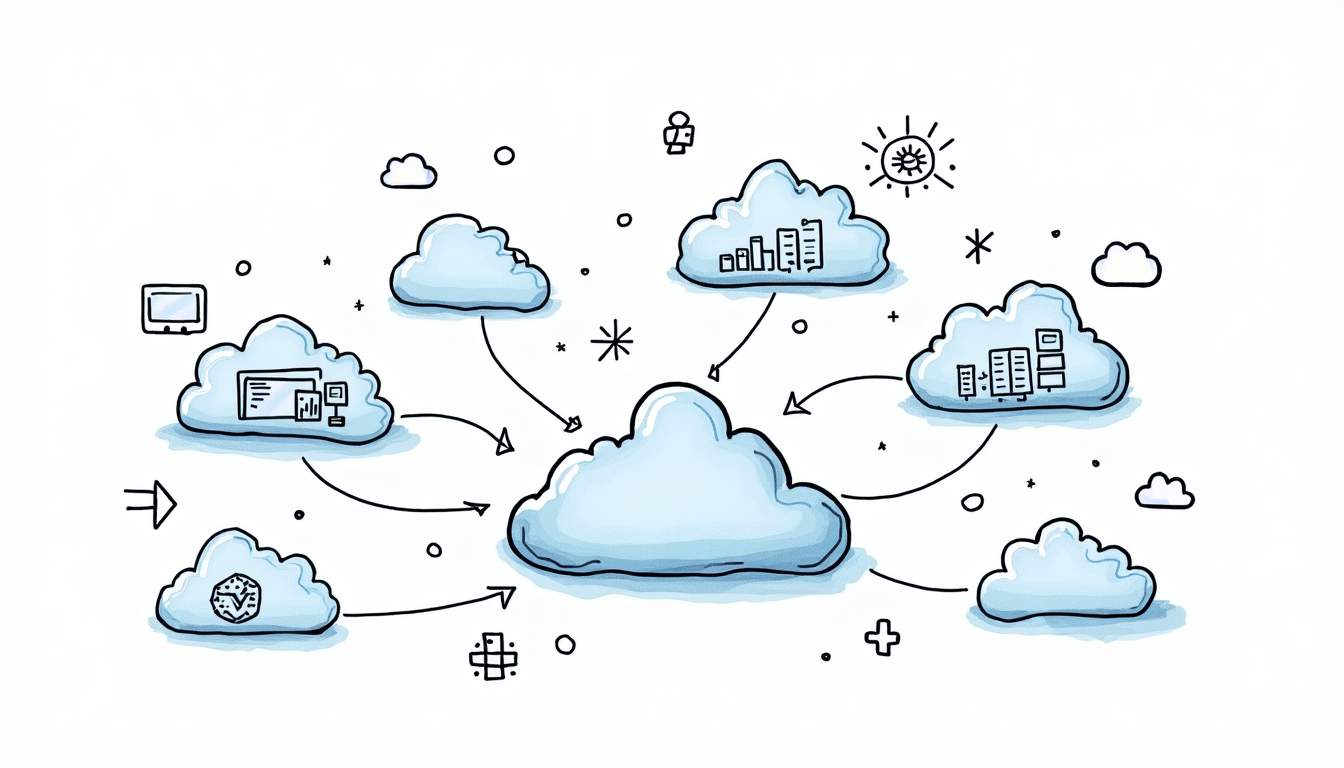
Inter-cloud resource management is the operating discipline behind multi-cloud work. It answers a simple question: when teams use AWS, Azure, Google Cloud, Kubernetes, SaaS platforms, and sometimes private infrastructure at the same time, how do they keep resources visible, secure, cost-controlled, and repeatable?
The short version: it is less about “moving everything between clouds” and more about setting one practical control layer for inventory, ownership, identity, networking, automation, monitoring, and cost decisions.
Quick takeaway: inter-cloud resource management is useful when cloud usage has outgrown one provider, one account, or one team. Without shared standards, the result is usually cost sprawl, security gaps, and slow incident response.
What Is Inter-Cloud Resource Management?
Inter-cloud resource management is the process of managing infrastructure and services across multiple cloud environments through shared policies, workflows, and visibility. It can include public cloud accounts, regions, Kubernetes clusters, IAM roles, virtual networks, storage, databases, serverless services, and third-party platforms.
A mature setup does not require every resource to be controlled by one giant tool. The point is consistency: teams should know what exists, who owns it, how it was provisioned, what policies apply, how much it costs, and how to recover or change it safely.
Inter-Cloud vs Multi-Cloud
Multi-cloud describes the environment. Inter-cloud management describes the operating model. A company may be multi-cloud because one product runs on AWS, analytics runs on Google Cloud, and Microsoft services run on Azure. Inter-cloud management is the layer that makes those choices manageable instead of chaotic.
| Concept | What it means | Practical question |
|---|---|---|
| Multi-cloud | Using more than one cloud provider or platform. | Where do our workloads and services run? |
| Inter-cloud resource management | Coordinating resources, policies, costs, and operations across those environments. | How do we manage all of this consistently? |
| Cloud management platform | A tool or internal platform that centralizes visibility and workflows. | Which controls should be shared instead of rebuilt per team? |
Why Inter-Cloud Resource Management Matters
The main value is operational control. As soon as teams split workloads across providers, small inconsistencies become expensive: different tagging rules, duplicated VPC patterns, inconsistent IAM practices, separate monitoring stacks, and unclear ownership.
This is where the topic connects directly to DevOps and platform engineering. Teams already using DevOps automation tools need the same mindset at the cloud portfolio level: define standards, automate repeatable work, and make exceptions visible.
Cost Visibility
Cost problems usually appear first. One cloud account may have good tags while another has none. A Kubernetes cluster may be scaled for peak traffic but never reviewed. A temporary test environment may stay active for months. Inter-cloud management gives finance, engineering, and platform teams a shared view of usage and waste.
Security and Compliance
Security teams need consistent answers across providers: which identities can deploy resources, which data stores are public, which networks can talk to each other, which logs are retained, and which workloads violate policy. Without a shared control model, every audit becomes a manual investigation.
Reliability and Ownership
Incidents become harder when nobody knows whether a dependency is in AWS, Azure, a Kubernetes cluster, or a third-party service. Inter-cloud resource management should make ownership, dependencies, and operational runbooks easier to find.
Common Inter-Cloud Management Problems
Most failures are not caused by a missing dashboard. They come from inconsistent habits across teams. The table below summarizes the problems that usually need attention first.
| Problem | Operational risk | Management approach |
|---|---|---|
| No shared inventory | Unknown resources, orphaned services, slow incident response. | Create a resource inventory with owners, environments, tags, and criticality. |
| Inconsistent IAM | Over-permissioned users, unclear access reviews. | Standardize identity groups, least-privilege patterns, and periodic reviews. |
| Different network patterns | Hard-to-debug routing, duplicated connectivity work. | Document approved connectivity patterns and keep diagrams close to code. |
| Manual provisioning | Configuration drift and slow delivery. | Use infrastructure as code and CI/CD for repeatable changes. |
| Weak cost controls | Budget surprises and duplicated spend. | Apply tagging, budgets, alerts, and regular rightsizing reviews. |
| Fragmented monitoring | Incidents require switching across many consoles. | Centralize critical signals and define service-level ownership. |
Core Capabilities to Build First
A practical inter-cloud operating model starts with a few capabilities that reduce daily friction. These are more useful than a long tool list because they describe what the system must actually do.
Inventory and Ownership
Every managed resource should have a clear owner, environment, business purpose, and lifecycle. Tags and labels are the basic mechanism, but ownership also needs to show up in documentation, dashboards, and incident workflows.
Infrastructure as Code
Infrastructure as code is the safest way to make cloud changes repeatable. Terraform is common for provisioning across providers, while Ansible and CI/CD workflows can handle configuration and operational tasks. If your team is still early here, the Terraform installation guide is a useful starting point for local setup and version checks.
Policy as Code
Policy checks should run before bad configurations reach production. Examples include blocking public storage buckets, rejecting untagged resources, limiting exposed ports, or requiring encryption. The goal is not bureaucracy; it is fast feedback before risk becomes real infrastructure.
Unified Monitoring and Cost Controls
Teams do not need one perfect dashboard for everything, but they do need one reliable path to answer urgent questions: what changed, what broke, who owns it, and what is it costing? Cost alerts, anomaly detection, service health dashboards, and centralized logs help reduce the guesswork.
Tools and Patterns That Help
Tooling choices depend on scale. A startup with two cloud accounts should not buy the same stack as an enterprise with hundreds of accounts and regulated workloads. The useful pattern is to start with standards, then add platforms where manual coordination becomes the bottleneck.
| Need | Lightweight starting point | When to add a platform |
|---|---|---|
| Provisioning | Terraform modules, reviewed pull requests, remote state. | When many teams need reusable golden paths. |
| Configuration | Ansible playbooks, scripts, CI jobs. | When configuration drift creates recurring incidents. |
| Policy | Pre-merge checks and cloud-native policy rules. | When governance must be consistent across teams and providers. |
| Cost | Tags, budgets, dashboards, monthly reviews. | When cost allocation and optimization become a recurring workload. |
| Kubernetes management | Cluster standards and namespace ownership. | When multiple clusters need shared policy, upgrades, and observability. |
This is also where the difference between DevOps and platform engineering becomes practical. A DevOps team may automate delivery for a product. A platform team may turn the repeated parts into shared services and golden paths. The comparison in Platform Engineer vs DevOps Engineer explains that split in more detail.
Best Practices for Managing Resources Across Clouds
Start With a Small Set of Non-Negotiable Standards
Do not begin with a huge governance document. Start with standards that every team can follow: naming, tagging, owners, environments, logging, backup expectations, and access review rules. These basics make later automation far easier.
Make the Golden Path Easier Than the Exception
If the approved path is slow, teams will bypass it. Provide templates, modules, CI workflows, and examples that make the secure path the fastest path. This is the same maturity pattern described in the DevOps maturity model: teams improve faster when good practices become default workflows.
Use Central Visibility, Not Central Micromanagement
Central teams should define guardrails and give visibility. They do not need to approve every small resource change. The better model is self-service with automated checks, clear ownership, and fast escalation when something violates policy.
Review Cost and Risk Together
Cost optimization and risk management often point to the same issue: unused resources, unclear ownership, and environments that were never cleaned up. A regular review should include both spend and operational risk, not just one dashboard.
Example Operating Model
A simple inter-cloud operating model can fit on one page. It should explain who owns the standards, how teams request or create resources, how policy is enforced, and what happens when exceptions are needed.
- Platform team: owns reusable modules, golden paths, shared CI/CD templates, and baseline policies.
- Security team: defines guardrails for identity, encryption, public exposure, logging, and compliance evidence.
- Product teams: own their workloads, costs, service health, and day-to-day changes.
- Finance or FinOps: reviews spend trends, allocation, anomalies, and optimization opportunities.
- Leadership: decides when cloud diversity is worth the added complexity.
Conclusion
Inter-cloud resource management is not a buzzword for buying another dashboard. It is the discipline of making multi-cloud environments visible, secure, repeatable, and cost-aware. The right approach usually starts with ownership, standards, infrastructure as code, policy checks, and shared monitoring before it becomes a large platform initiative.
If your teams already manage resources across providers, the next step is simple: choose one painful area—inventory, IAM, cost, provisioning, or monitoring—and standardize it first. Small improvements compound quickly when they become the default path for every cloud team.
FAQ
What is inter-cloud resource management?
Inter-cloud resource management is the practice of governing, provisioning, securing, monitoring, and optimizing resources across more than one cloud environment. It usually covers public cloud accounts, Kubernetes clusters, identity policies, networks, costs, and operational standards.
How is inter-cloud resource management different from multi-cloud?
Multi-cloud describes the environment: workloads or services run across more than one cloud provider. Inter-cloud resource management describes the operating model used to control that environment consistently.
Do teams need one platform to manage every cloud resource?
Not always. Smaller teams may start with tagging standards, infrastructure as code, cost reports, and shared policy checks. Larger teams often add a cloud management platform or an internal platform layer to standardize workflows.
What are the biggest risks in inter-cloud management?
The main risks are inconsistent identity rules, duplicated network patterns, unclear ownership, cost sprawl, and configuration drift. These risks grow when each cloud team operates with separate tools and standards.
Which tools help with inter-cloud resource management?
Common building blocks include infrastructure as code, policy-as-code, CI/CD, Kubernetes management, cloud cost tools, security posture management, and observability platforms. The right mix depends on how many providers, accounts, clusters, and teams you need to coordinate.

Leave a Reply