

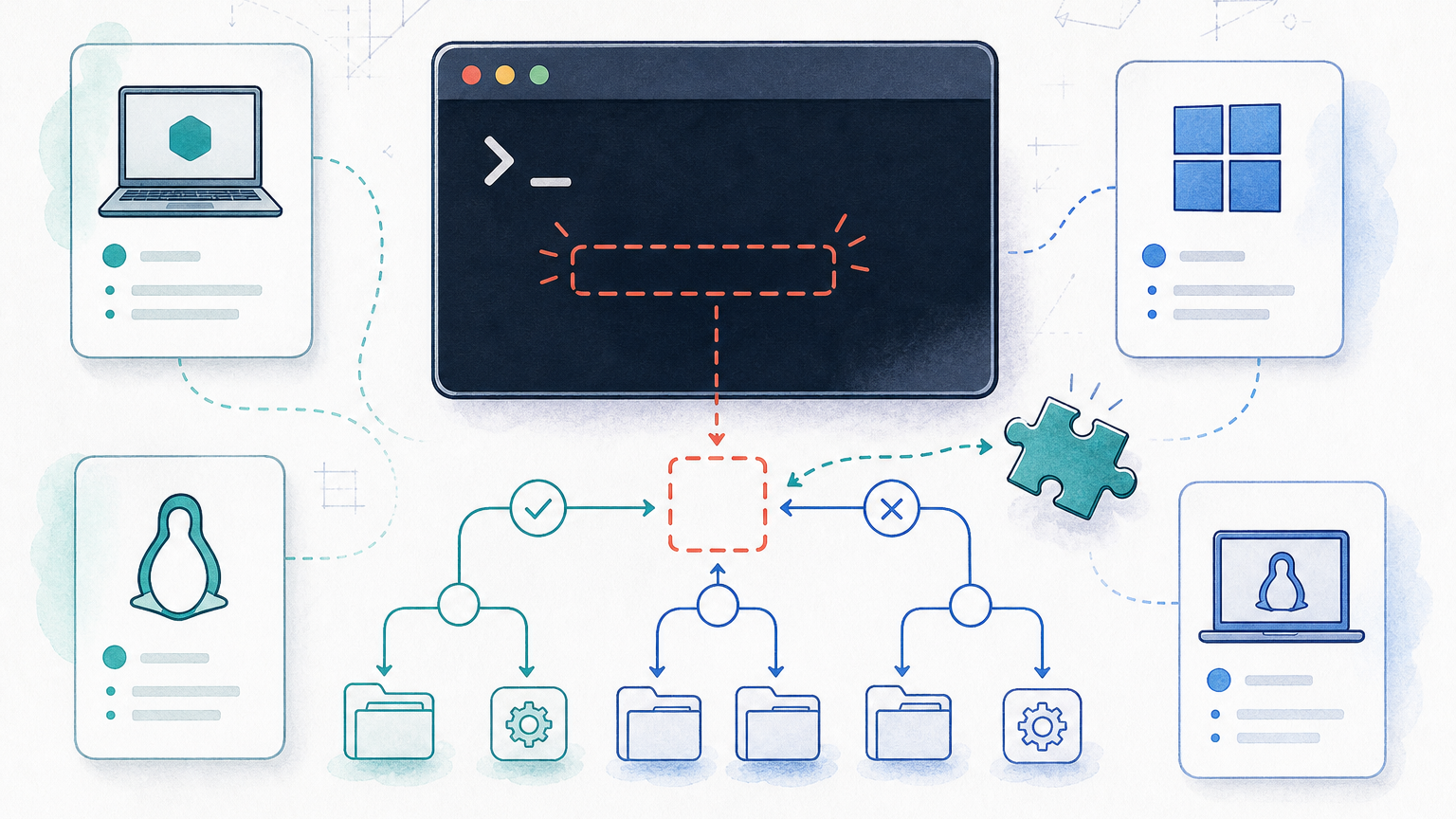
If Docker fails with exec format error, start with the executable named in the log. The most common cause is a CPU architecture mismatch: for example, an ARM64 image running on an AMD64 host, or an AMD64-only image running on ARM. But it is not always architecture. A bad ENTRYPOINT, a shell script without a shebang, CRLF line endings, missing executable permissions, or a binary compiled for the wrong target can produce the same kind of failure.
Use the checklist below first. It narrows the problem faster than rebuilding the image blindly.
Quick Fix Checklist
1. Read the exact startup error:
docker logs CONTAINERFor Compose:
docker compose logs SERVICE2. Check the host CPU architecture:
uname -mCommon values include x86_64 for AMD64 and aarch64 or arm64 for ARM64.
3. Check the image architecture:
docker image inspect IMAGE --format '{{.Architecture}}/{{.Os}}'Code language: JavaScript (javascript)Example:
docker image inspect my-image:latest --format '{{.Architecture}}/{{.Os}}'Code language: JavaScript (javascript)4. If the image is published to a registry, inspect its platform variants:
docker buildx imagetools inspect IMAGE5. Rebuild for the platform you actually deploy to:
docker buildx build --platform linux/amd64 -t my-image:latest .Or for ARM64:
docker buildx build --platform linux/arm64 -t my-image:latest .6. If the failing file is an entrypoint script, check the first line, permissions, and line endings:
head -n 1 entrypoint.sh
chmod +x entrypoint.sh
file entrypoint.shCode language: CSS (css)
If the script has Windows CRLF line endings, convert it to LF:
sed -i 's/\r$//' entrypoint.shCode language: JavaScript (javascript)Or:
dos2unix entrypoint.shCode language: CSS (css)Read the exact error line first
Before changing the Dockerfile, read the log line that contains exec format error. It often names the file Docker tried to run:
exec /usr/local/bin/app: exec format errorexec /docker-entrypoint.sh: exec format errorstandard_init_linux.go:... exec user process caused: exec format errorCode language: CSS (css)That path tells you where to start:
- If it points to your app binary, check the image architecture and the binary build target.
- If it points to
/docker-entrypoint.shor another.shfile, check the shebang, LF line endings, and executable bit. - If it points to
/bin/sh, check whether the base image actually contains the shell you are trying to run and whether the image platform matches the host.
In Docker Compose projects, a restart policy can make this look like a container that “keeps restarting” instead of one clear startup failure. Inspect logs before changing restart settings. If you need the restart behavior separately, see Docker Compose Restart Policy.
What Docker “exec format error” means
Docker starts a container by asking Linux to execute the image’s configured command. That command may come from ENTRYPOINT, CMD, or the command you pass to docker run.
exec format error means Linux could not execute that file in the current environment. In practice, the problem is usually one of these:
- The file is a binary for the wrong CPU architecture.
- The file is a script but lacks a valid interpreter line, such as
#!/bin/sh. - The script has Windows CRLF line endings.
- The file is not executable.
- The
ENTRYPOINTorCMDpoints to the wrong file.
If you are still getting comfortable with how containers start processes, the broader Docker Containers complete guide is useful background. For this error, stay focused on the executable Docker is trying to start.
Cause 1: the image was built for the wrong architecture
Architecture mismatch is the first thing to check, especially when you build on Apple Silicon or another ARM64 machine and deploy to an AMD64 Linux server.
Typical mismatch patterns:
- You built an ARM64 image locally on Apple Silicon, then deployed it to an AMD64 server.
- You pulled an AMD64-only image on an ARM64 host.
- CI built the image on one architecture, but production runs another.
- A multi-platform image was expected, but the tag only contains one platform variant.
Check your host:
uname -mCheck the local image metadata:
docker image inspect my-image:latest --format '{{.Architecture}}/{{.Os}}'Code language: JavaScript (javascript)Example output:
arm64/linuxThat image will not be the right target for a normal AMD64 Linux host.
If the image is in a registry, inspect the manifest list or image index:
docker buildx imagetools inspect my-registry.example.com/my-image:latestDocker’s multi-platform build documentation uses --platform for exactly this kind of target selection. Rebuild for the deployment target:
docker buildx build --platform linux/amd64 -t my-image:latest .If you deploy to ARM64, build for ARM64 instead:
docker buildx build --platform linux/arm64 -t my-image:latest .If you need one tag that works on both AMD64 and ARM64, publish a multi-platform image:
docker buildx build \
  --platform linux/amd64,linux/arm64 \
  -t my-registry.example.com/my-image:latest \
  --push \
  .
If your problem is not a runtime architecture error but a missing registry tag or image variant, that is a different failure path. See Docker manifest unknown for the registry-side version of the problem.
Production note:
platform: linux/amd64can be useful as a local workaround, but do not treat emulation as the default production fix. Prefer building and publishing images for the platform you actually run.
Cause 2: ENTRYPOINT or CMD points to a bad script
If the log names an entrypoint script, move from architecture checks to startup-command checks. Dockerfile ENTRYPOINT and CMD decide what runs when the container starts. For the detailed semantics, see Dockerfile ENTRYPOINT.
Common problems:
- The path in
ENTRYPOINTdoes not match where the file was copied. - The script has no shebang.
- The script was copied without executable permissions.
- The script expects
bash, but the image only hassh. - The JSON-array form is missing and shell parsing changes what actually runs.
A safer Dockerfile pattern is:
COPY --chmod=755 entrypoint.sh /usr/local/bin/entrypoint.sh
ENTRYPOINT ["/usr/local/bin/entrypoint.sh"]Code language: JavaScript (javascript)
A minimal POSIX shell entrypoint should start with a valid shebang:
#!/bin/sh
set -e

exec "$@"Code language: JavaScript (javascript)
If your script needs Bash features, either use an image that contains Bash or install it intentionally, then make the shebang match:
#!/usr/bin/env bash
set -euo pipefail

exec "$@"Code language: JavaScript (javascript)
Do not use a Bash shebang in a minimal image unless Bash is actually available.
To inspect what an existing image declares:
docker image inspect my-image:latest --format 'Entrypoint={{json .Config.Entrypoint}} Cmd={{json .Config.Cmd}}'Code language: JavaScript (javascript)If the entrypoint path is wrong, fix the Dockerfile and rebuild the image.
Cause 3: the entrypoint script has CRLF line endings
A script edited on Windows can contain CRLF line endings. Linux containers expect LF line endings for shell scripts. If the shebang line contains a hidden carriage return, the interpreter path can be interpreted incorrectly.
Check the file:
file entrypoint.shCode language: CSS (css)You may see output that mentions CRLF line terminators.
Convert to LF:
sed -i 's/\r$//' entrypoint.shCode language: JavaScript (javascript)Or, if dos2unix is available:
dos2unix entrypoint.shCode language: CSS (css)Then make sure the file is executable:
chmod +x entrypoint.shCode language: CSS (css)In the Dockerfile, keep the permission change inside the build so it is reproducible:
COPY --chmod=755 entrypoint.sh /usr/local/bin/entrypoint.shIf your Docker version or builder setup does not support COPY --chmod, use RUN chmod after copying:
COPY entrypoint.sh /usr/local/bin/entrypoint.sh
RUN chmod 755 /usr/local/bin/entrypoint.sh
Cause 4: a compiled binary targets the wrong OS or CPU
Sometimes the image architecture is correct, but the binary inside the image is not.
This often happens when a compiled artifact is built outside Docker and then copied into the image. The container is Linux, but the binary may have been built for macOS, Windows, ARM64, or AMD64 by accident.
For Go, make the target explicit. Example for a Linux AMD64 deployment:
CGO_ENABLED=0 GOOS=linux GOARCH=amd64 go build -o app .For Linux ARM64:
GOOS=linux GOARCH=arm64 go build -o app .Then copy that binary into the image:
COPY app /usr/local/bin/app
ENTRYPOINT ["/usr/local/bin/app"]Code language: JavaScript (javascript)
For other compiled languages or native modules, use the same principle: build for the OS and CPU architecture of the container runtime, not just the laptop or CI runner that produced the artifact. Check the official docs for your toolchain before adding cross-compilation flags.
Docker Compose fix: when to use platform:
In Docker Compose, you can request a platform for a service:
services:
  app:
    image: my-image:latest
    platform: linux/amd64
This can unblock local development on Apple Silicon when you must run an AMD64 image. It can also make the expected platform explicit for a service.
But use it carefully:
- It does not fix a bad entrypoint script.
- It does not create a missing image variant in your registry.
- It may rely on emulation when host and image architectures differ.
- It is usually better to publish the right image for the target platform.
If you build the image with Compose, you can also pass platform intent through the build setup depending on your Compose and Buildx workflow. For production, keep the build target explicit in CI/CD so the deployed image matches the server architecture.
How to prevent this error in CI/CD
Use this checklist before deploying images across mixed architectures:
- Build images for the same platform you deploy to.
- Use
docker buildx build --platform ...instead of relying on the builder host default. - Publish multi-platform images when you support both AMD64 and ARM64.
- Inspect important image tags with
docker buildx imagetools inspectbefore rollout. - Keep entrypoint scripts with LF line endings.
- Give scripts a valid shebang.
- Set executable permissions in the Dockerfile, not only on your local filesystem.
- Avoid copying local compiled binaries into images unless the target OS and CPU are explicit.
- Test the final image on the same architecture class used in production.
A simple CI sanity check can catch many mistakes:
docker image inspect my-image:latest --format '{{.Architecture}}/{{.Os}}'Code language: JavaScript (javascript)And for a pushed image:
docker buildx imagetools inspect my-registry.example.com/my-image:latestFAQ
These are the short answers readers usually need after they fix the immediate startup failure.
What does Docker exec format error mean?
It means Docker tried to run a file that Linux could not execute in the current environment. The usual causes are wrong CPU architecture, a bad entrypoint script, CRLF line endings, or missing executable permissions.
How do I check Docker image architecture?
For a local image, run docker image inspect IMAGE --format '{{.Architecture}}/{{.Os}}'. For a registry image, run docker buildx imagetools inspect IMAGE.
How do I fix exec format error on Apple Silicon?
Check whether you built an ARM64 image locally but deploy to an AMD64 server. If so, rebuild for the target with docker buildx build --platform linux/amd64 -t my-image:latest ., or publish a multi-platform image.
Can platform: linux/amd64 fix this in Docker Compose?
Yes, if Compose is pulling or running the wrong platform variant. It is a workaround, not a universal fix. It will not repair a bad entrypoint script, CRLF line endings, or a binary compiled for the wrong target.
Can Windows line endings cause exec format error?
Yes. A shell script with CRLF line endings can fail in a Linux container. Convert it to LF, add a valid shebang, and make the file executable.
Is this the same as Docker manifest unknown?
No. exec format error happens after Docker has an image and tries to run something inside it. manifest unknown means Docker cannot find the requested image tag or manifest in the registry.
Sources
- Docker Docs: Multi-platform builds — used for
--platform, Buildx, and multi-platform image strategy. - Docker Docs: Dockerfile reference — used for
ENTRYPOINT,CMD,FROM --platform, andCOPY --chmodbehavior. - Docker Docs: Build variables — used for platform-aware build context such as
BUILDPLATFORMandTARGETPLATFORM.


Leave a Reply