


Podman is worth testing if you run Linux-first workloads and want a per-user, rootless-friendly container engine without a persistent central daemon. Keep Docker if Docker Desktop, first-party Docker Compose behavior, or Docker API integrations are central to your workflow. For most teams, the safe answer is not an immediate switch: install Podman beside Docker, test one real project, and migrate only after its build, networking, storage, Compose, and CI behavior pass.
Short recommendation: choose Podman for Linux-native rootless operation and systemd integration; choose Docker for the most predictable Docker Desktop and Compose experience. Do not use alias docker=podman until the workload has passed compatibility tests.
Podman vs Docker decision matrix
Use the workflow requirement, not a blanket security or performance claim, to choose the engine.
| Requirement | Better starting point | Why |
|---|---|---|
| Docker Desktop is already the team’s supported local platform | Docker | Desktop, Docker Engine, contexts, Compose, and vendor support stay in one product path. |
| Linux servers should run containers as ordinary users | Podman pilot | Most Podman commands can run without additional privileges, and normal local CLI work does not require a persistent central daemon. |
| Existing automation depends on the Docker socket or Docker API | Docker, or a tested Podman API pilot | Podman offers a Docker-compatible API layer, but compatibility is not the same as complete behavioral identity. |
| The project relies heavily on Compose features and plugins | Docker first | Docker Compose is first-party tooling. podman compose delegates to an external provider whose options determine actual behavior. |
| Workloads are managed as user or system services on Linux | Podman | Quadlet and systemd-oriented workflows fit Podman’s Linux-native model. |
| Developers use macOS or Windows | Test both | Both products run Linux containers through a Linux environment. Podman requires Podman Machine on these hosts. |
| The team wants a low-risk migration | Run both explicitly | Separate commands preserve rollback and expose incompatibilities before production changes. |
If the terms image, container, and volume are still unclear, start with What Are Containers in DevOps? before comparing engines.
How the two architectures differ
Docker and Podman both build, pull, and run OCI-style container images, but the control paths are different.
| Entity | Relationship | Operational result |
|---|---|---|
| Docker CLI | Sends requests to dockerd | The daemon owns engine state and performs container operations. |
| Docker rootless mode | Runs daemon and containers in a user namespace | Docker can run without a root-owned daemon when host prerequisites are satisfied. |
| Podman CLI on Linux | Manages containers, images, pods, networks, and volumes without a persistent central daemon | A normal command starts the processes needed for that operation. |
| Podman system service | Exposes Podman-native and Docker-compatible APIs | Socket-dependent tools can connect, often through systemd socket activation. |
| Podman Machine | Hosts a Linux environment for Podman | It is required on macOS and Windows and optional on Linux. |
The important distinction is persistent daemon versus daemonless local operations, not “Docker always runs as root” versus “Podman never uses a service.” Docker documents a rootless daemon mode. Podman can expose an API service when integrations require one. See how Docker Engine works for the Docker client-daemon model.
Rootless does not mean risk-free
Rootless execution narrows the privileges available to the engine and containers, but it does not make an unsafe workload safe. Mounted host files, Linux capabilities, device access, container images, secrets, and exposed sockets still matter.
Docker rootless mode runs both dockerd and containers in a user namespace. It requires newuidmap, newgidmap, and subordinate UID/GID ranges on the host. Podman can run most commands as a regular user and keeps rootless storage under the user’s home directory.
Check the active mode rather than assuming it:
# Docker: inspect the client context and server security options.
docker context show
docker info

# Podman: inspect the engine, store, and security configuration.
podman infoCode language: Bash (bash)
Treat either engine socket as privileged access to that user’s container environment. Podman’s documentation states that its API grants full Podman functionality as the user running the service. Do not expose the socket over an unauthenticated TCP port.
Docker CLI compatibility: similar commands, different engines
Podman’s CLI is deliberately comparable to Docker’s. Common commands such as pull, build, run, ps, logs, and inspect often look the same.
podman pull docker.io/library/alpine:3.20
podman run --rm docker.io/library/alpine:3.20 cat /etc/alpine-release
podman ps
podman imagesCode language: Bash (bash)
That similarity is useful for migration, but it is not a complete compatibility contract. Differences can appear in default registries, short-name resolution, networking, storage paths, volume labels, cgroups, security labeling, API versions, and flags supported by surrounding tools.
Use explicit image names during a pilot. docker.io/library/alpine:3.20 states the registry, namespace, repository, and tag, so short-name search policy cannot silently select another source.
For image builds, test the same Dockerfile with both engines:
# Keep separate tags so the result is easy to identify.
docker build -t rn-engine-test:docker .
podman build -t rn-engine-test:podman .

# Compare the configured command, ports, user, and labels.
docker image inspect rn-engine-test:docker
podman image inspect rn-engine-test:podmanCode language: Bash (bash)
Podman uses Buildah internally for image creation. The practical question is whether your Dockerfile, build secrets, cache strategy, multi-platform path, and registry authentication behave as expected. The Dockerfile build guide and Podman with Dockerfiles cover those narrower workflows.
Compose compatibility needs its own test
Docker Compose is Docker’s tool for defining and running multi-container applications from YAML. Podman’s podman compose command is a thin wrapper around an external provider such as docker-compose or podman-compose. The provider installed on the machine determines the supported options and behavior.
Start by identifying the provider instead of assuming it:
podman compose --help
podman compose version

# Render and validate the project before starting services.
podman compose -f compose.yaml configCode language: Bash (bash)
Then run a bounded project test:
podman compose -f compose.yaml up -d
podman compose -f compose.yaml ps
podman compose -f compose.yaml logs --no-color
podman compose -f compose.yaml downCode language: Bash (bash)
Verify service dependencies, health checks, bind mounts, named volumes, port publishing, DNS names, profiles, secrets, and shutdown behavior. If Docker Compose semantics are the topic you need, use the dedicated Docker Compose Up guide instead of treating this comparison as a Compose command reference.
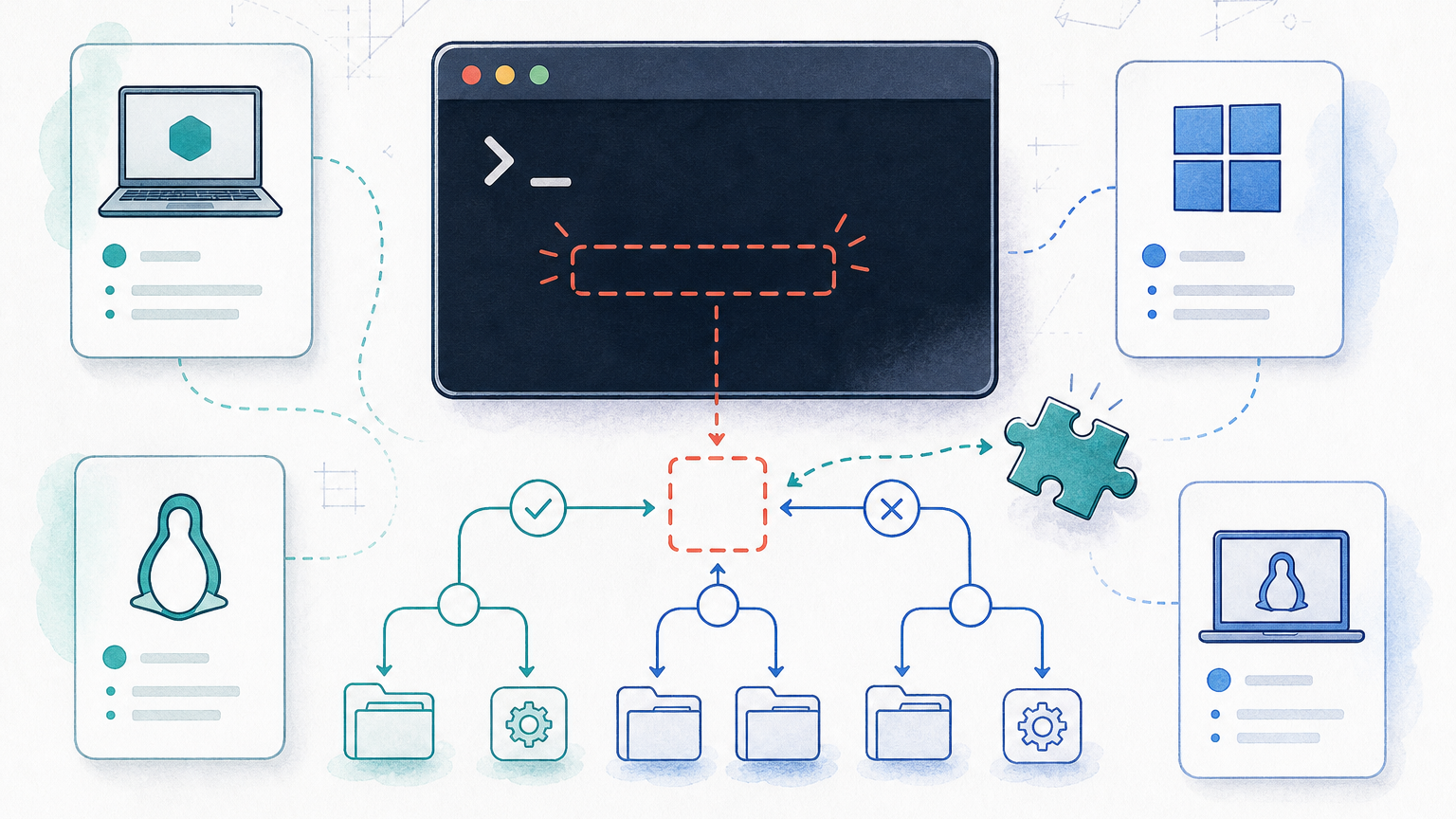
macOS and Windows change the comparison
Linux containers need Linux kernel features. Podman’s official documentation therefore requires Podman Machine on macOS and Windows. The local podman client talks to the Linux environment in that virtual machine. Docker Desktop also supplies a managed Linux container environment and product integrations.
This means “daemonless” should not be read as “no background environment or VM on every operating system.” On macOS and Windows, compare the complete desktop workflow: VM startup, file sharing, networking, resource limits, credential helpers, Compose, and IDE integration.
podman machine list
podman machine inspect
podman system connection listCode language: Bash (bash)
Do not copy Linux socket paths into macOS or Windows instructions without checking the active remote connection.
A low-risk Docker-to-Podman migration workflow
Keep Docker available during the pilot. The goal is to prove one workload under Podman, not to rename the command and hope.
1. Inventory the current Docker dependency surface
Record what the project actually uses before changing the engine.
docker context show
docker version
docker compose version
docker compose -f compose.yaml config > /tmp/compose.docker.rendered.yaml
docker ps -a
docker image ls
docker volume ls
docker network lsCode language: Bash (bash)
Also list CI runners, IDE extensions, test frameworks, build plugins, scripts, and agents that connect to /var/run/docker.sock or use DOCKER_HOST. If Docker itself is failing, resolve that separately with Cannot Connect to Docker Daemon.
2. Install Podman beside Docker and keep commands explicit
Verify the client and connection before running the project.
podman version
podman info
podman system connection listCode language: Bash (bash)
Do not create a global docker=podman alias yet. Explicit commands make logs unambiguous and preserve a one-command rollback.
3. Test image pull, build, and a disposable container
Use pinned image references and a non-production port.
podman pull docker.io/library/nginx:1.27-alpine
podman run --name rn-podman-test --detach --publish 127.0.0.1:18080:80 docker.io/library/nginx:1.27-alpine
podman ps --filter name=rn-podman-test
curl http://127.0.0.1:18080
podman logs rn-podman-test
podman rm --force rn-podman-testCode language: Bash (bash)
Check application output, UID/GID behavior, bind mounts, port exposure, and cleanup. A container starting successfully does not prove persistent storage or Compose compatibility.
4. Validate Compose with the installed provider
Render the configuration, start the project, run its health or integration tests, inspect logs, and stop it cleanly. Compare the rendered configuration and observable application behavior with the Docker run.
podman compose -f compose.yaml config > /tmp/compose.podman.rendered.yaml
podman compose -f compose.yaml up -d
podman compose -f compose.yaml ps
podman compose -f compose.yaml downCode language: Bash (bash)
If podman compose reports that no provider is installed, install and standardize the provider your team intends to support. Do not hide that dependency behind an alias.
5. Test Docker API-dependent tools deliberately
On Linux, Podman can expose a rootless API socket through systemd. Enable it only if a real integration needs it.
systemctl --user enable --now podman.socket
export DOCKER_HOST="unix://$XDG_RUNTIME_DIR/podman/podman.sock"

# Confirm the socket and test the specific integration.
systemctl --user status podman.socketCode language: Bash (bash)
The compatibility service supports a Docker API layer, but every client still needs a real test. Protect the Unix socket with file permissions. Do not bind it to a network port without strong authentication and transport security.
6. Plan data migration separately
Docker and Podman keep separate containers, networks, images, and volumes. Pulling or rebuilding an image is usually safer than copying engine-internal storage. For persistent data, use the application’s documented backup and restore procedure, then verify ownership, security labels, checksums where useful, and application-level consistency.
Never assume that a named Docker volume appears in Podman because it has the same name.
7. Cut over one project and keep a rollback command
Switch CI or developer scripts only after the project’s build, tests, logs, networking, persistence, restart, and cleanup checks pass. Keep Docker configuration and backups until the observation window ends.
# Explicit engine selection is safer than a global alias.
CONTAINER_ENGINE=podman ./scripts/container-smoke-test.sh

# Rollback remains obvious.
CONTAINER_ENGINE=docker ./scripts/container-smoke-test.shCode language: Bash (bash)
If the project cannot select an engine explicitly, document exactly where the Docker CLI or socket is assumed before changing symlinks or shell aliases.
When you should switch
Switch selected workloads to Podman when Linux is the primary host, rootless per-user operation is an explicit requirement, the team values systemd or Quadlet integration, and the real project passes the compatibility checklist.
Stay on Docker when Docker Desktop is a supported team standard, first-party Compose behavior and Docker integrations matter more than architecture preference, or migration would add an unowned compatibility layer.
A mixed environment is valid. CI can use one engine while developers test another, provided image builds and runtime behavior are verified and scripts do not silently assume one socket.
Sources
Podman system service and Docker API compatibility
Podman Compose provider behavior
Podman Machine platform requirements
FAQ
Is Podman a drop-in replacement for Docker?
Podman offers a Docker-CLI-comparable command set, so many common commands transfer with small or no changes. It is not a universal drop-in replacement. Test Compose, socket-dependent tools, networking, storage, security labels, and every required CLI flag before switching.
Is Podman more secure than Docker?
Podman’s daemonless local model and regular-user workflow reduce some central-daemon and root exposure. Docker also supports rootless mode. Neither engine makes privileged containers, unsafe mounts, exposed sockets, or untrusted images safe, so security depends on the complete configuration.
Does Podman support Docker Compose files?
Podman can run Compose workloads through podman compose, but that command delegates to an external provider such as docker-compose or podman-compose. Validate the installed provider and the exact Compose features used by your project.
Can Docker and Podman run on the same machine?
Yes, and side-by-side testing is the safest migration path. Keep commands explicit, use distinct ports and test names, and remember that each engine has separate state and storage.
Do I need a daemon for Podman?
Normal local Podman operations on Linux are daemonless. Podman can start an API service when Docker-compatible or Podman-native clients need a socket. On macOS and Windows, the client connects to a Linux environment managed through Podman Machine.

Leave a Reply